
Getting Started | Home | Module I | Module II | Module III | Module IV
Module I: Simple Scale Diagram
Introduction
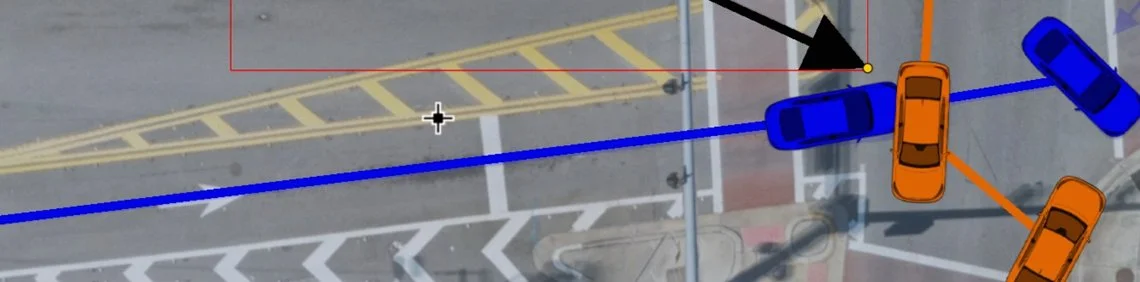
Module I teaches how to create a fully scaled, layered, and annotated aerial scene diagram in Virtual CRASH, including image import, layer management, vehicle placement, trajectory creation, and final labeling for presentation.
Reading Assignment
Please read the following:
Quick Start for the Impatient User (VC6 | VC5 | VC4 | VC3 | Public Safety)
Interface basics and mouse cursor controls (VC6 | VC5 | VC4 | VC3 | Public Safety)
Video Lecture
Before starting video, please download file: Project1_diagram.png
VC4 users, please download: 2D Ford Fusion (2013).vc4. Use Project > Import (or drag and drop) to place this vehicle into your scene.
Complete the project shown in the Module I video below. Keep the project open and use it to answer the quiz questions.

IMPORTANT: Watch each video through to the end to reach the final quiz. Quizzes are embedded throughout and must be completed as you go in order to continue. In most cases, questions are multiple choice with one correct and three incorrect answers, and you'll need 3 of 4 correct to pass. If you fail, you can review the prior section or retake the quiz. You can't skip ahead, and quizzes must be answered in order. Plan to watch each video in one sitting, since restarting one means retaking its quizzes. Once you complete the final quiz, a "Module Complete" pop-up will appear. Left-click the "copy code" button, enter your email address, and press SUBMIT below.
Once you pass all quizzes for this video, paste the validation code below (Ctrl+V), enter your email, and press the SUBMIT button.
Getting Started | Home | Module I | Module II | Module III | Module IV