
Getting Started | Home | Module I | Module II | Module III | Module IV | Module V
Advanced Analyses | Home
REQUIRED
If this is your first Virtual CRASH self-paced training course, take a few minutes to read over the Getting Started page. The Getting Started page includes details on grading, completion time, and the requirements to receive a certificate of completion. Successful completion of this course assumes an active and valid vCRASH software license.
PREREQUISITES
It is strongly recommended that students first complete both the Virtual CRASH Interface self-paced training course and Virtual CRASH Simulation Basics self-paced training course before taking Advanced Analyses.
COURSE DESCRIPTION
This course deals with simulating vehicle collisions between passenger cars. This course is ideal for users of Virtual CRASH who have some experience creating simulation projects.
GENERAL READING RECOMMENDATIONS FOR ACCIDENT RECONSTRUCTION
Vehicle Accident Analysis and Reconstruction Methods by Brach and Brach
Fundamentals of Traffic Crash Reconstruction by Daily, Shigemura, and Daily
Classical Dynamics of Particles and Systems by Marion and Thornton
COURSE MODULES
Module I: Quick Review of Impulse Momentum Collision Modeling
Module I gives a quick review of the impulse momentum collision modeling used by Virtual CRASH.
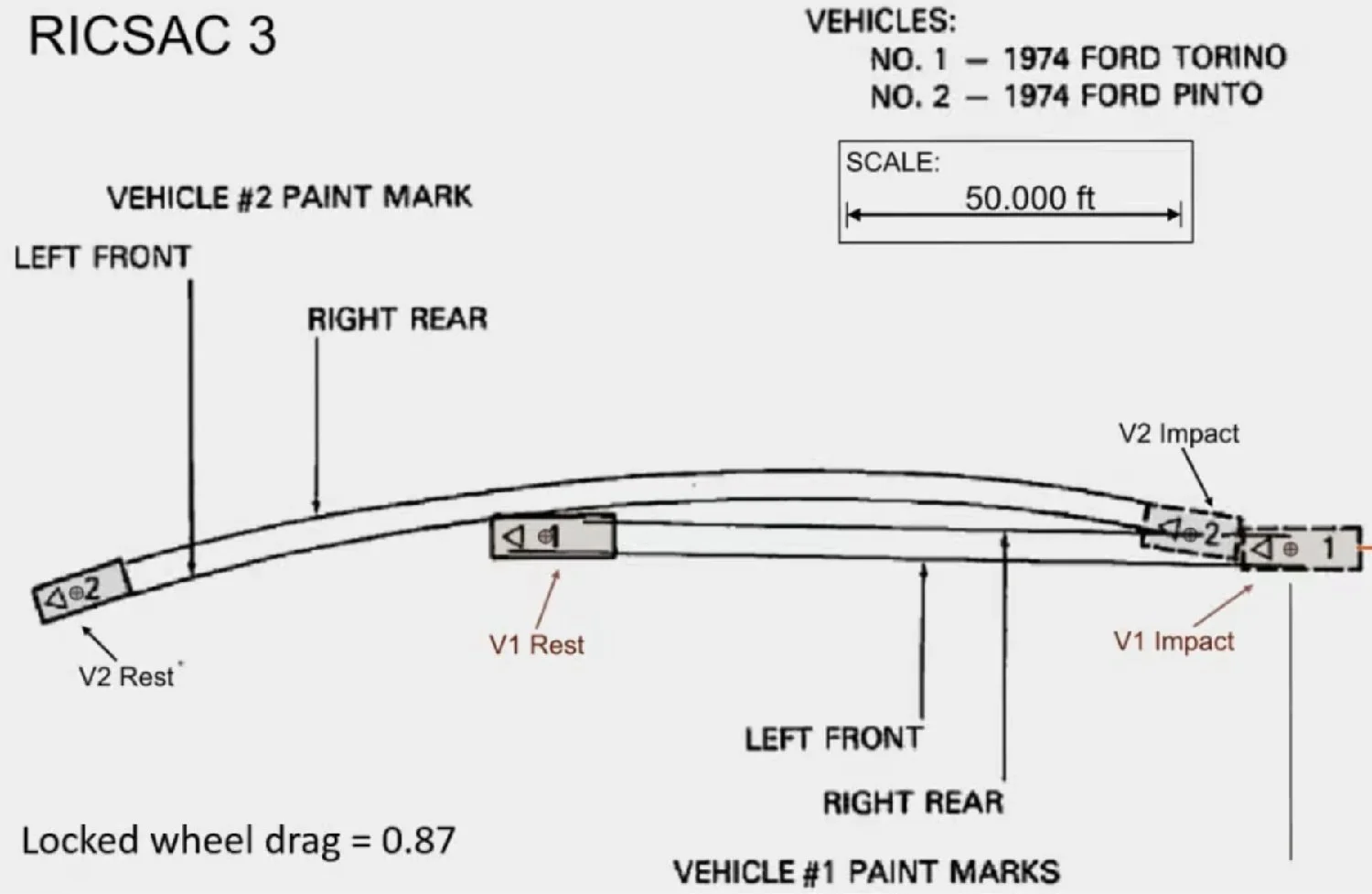
Module II: RICSAC 3 Overview
Module II provides an overview of the RICSAC 3 crash test.
Module III: Hand Calculation using COLM
Module III introduces the first step in our analysis. We perform "slide to stop" calculations to determine the post-impact speeds of our vehicles. We then perform a conservation of linear momentum calculation to arrive at an estimate of the Torino's pre-impact speed.
Module IV: Point-mass Simulation
In Module IV we will use a spherical "point mass" approximation to arrive at an estimate of the Torino's pre-impact speed.
Module V: Full Vehicle Simulation
In Module V we will simulate the full collision event and arrive at our final estimate for pre-impact speed.
Do you have a technical support issue, such as:
Virtual CRASH software installation problem?
Automatic software update problem?
Understanding how a feature or function works?
Geometry or total station file import problem?
Problem finding the right User's Guide, Knowledge Base, Blog, or training video to help with your specific use case?
Need to request that a potential use case be explained that is not well documented in the vCRASH Academy.
Need to report a potential software problem?
Technical support inquiries can be submitted to the Virtual CRASH team at: https://www.vcrashusa.com/support
This course is protected by federal copyright law. No part of this course may be copied, distributed, transmitted, transcribed, stored in a retrieval system, or translated into any human or computer language, in any form or by any means—electronic, mechanical, manual, or otherwise—nor shall any part of this publication be disclosed to any third party. The unauthorized reproduction or distribution of a copyrighted work is illegal. Criminal copyright infringement, including infringement without monetary gain, is investigated by the FBI and is punishable by up to five years in federal prison and a fine of $250,000.
© 2026 Virtual CRASH, LLC
Getting Started | Home | Module I | Module II | Module III | Module IV | Module V